A free Screen Studio alternative that auto-zooms the recordings you already have
I record tutorials every week, and the worst part is not recording. It is the editing: zooming into every click so people can actually read the screen. Screen Studio does this automatically and it is beautiful - but it is $29 a month, or $9 a month paid yearly. More than a hundred dollars a year, just for zooms.
The best free option I found is OpenScreen: free, open source, and really good. But its auto-zoom follows the cursor it captures while you record inside the app, and it needs screen recording and accessibility permissions. My problem was different. I already had a folder full of old recordings, and I wanted something that fixes the videos I already have.
What it does
One command turns a flat screen recording into a polished demo: smooth automatic zooms on the action, a gradient background, rounded corners and a soft shadow. It works on any recording - QuickTime, Cmd+Shift+5, OBS, Loom downloads - with no app to install and no permissions.
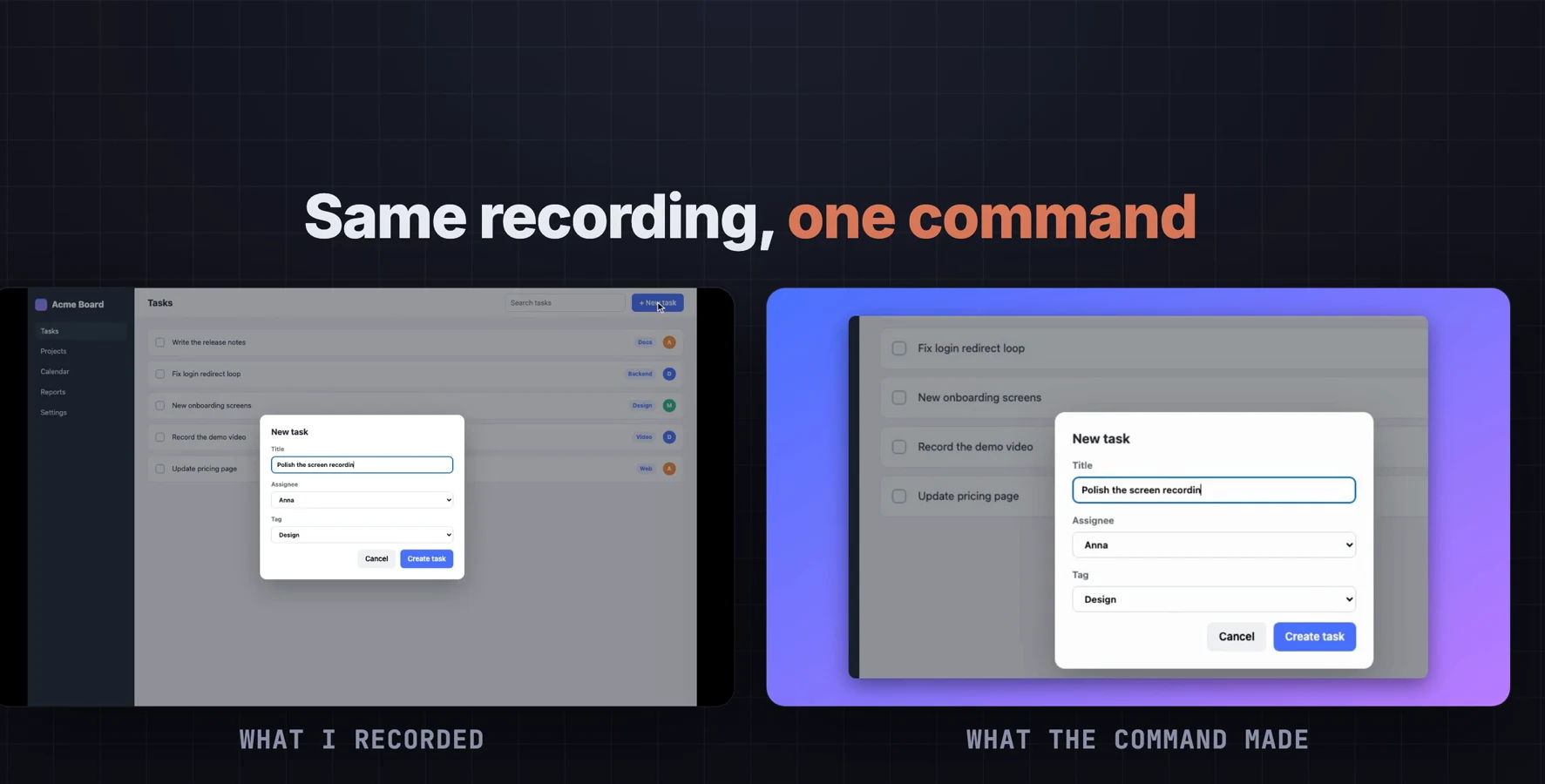
How it finds the action
It only looks at the pixels - no cursor data, no click log. Every frame is compared with the one before, and the changes are summed into a heatmap every quarter second. Around each moment it finds the spot that kept changing: typing, a form, a panel opening. Things that change only once - a cursor passing by, a notification fading out - do not steal the shot. A screen-wide change, like a page switch, zooms back out.
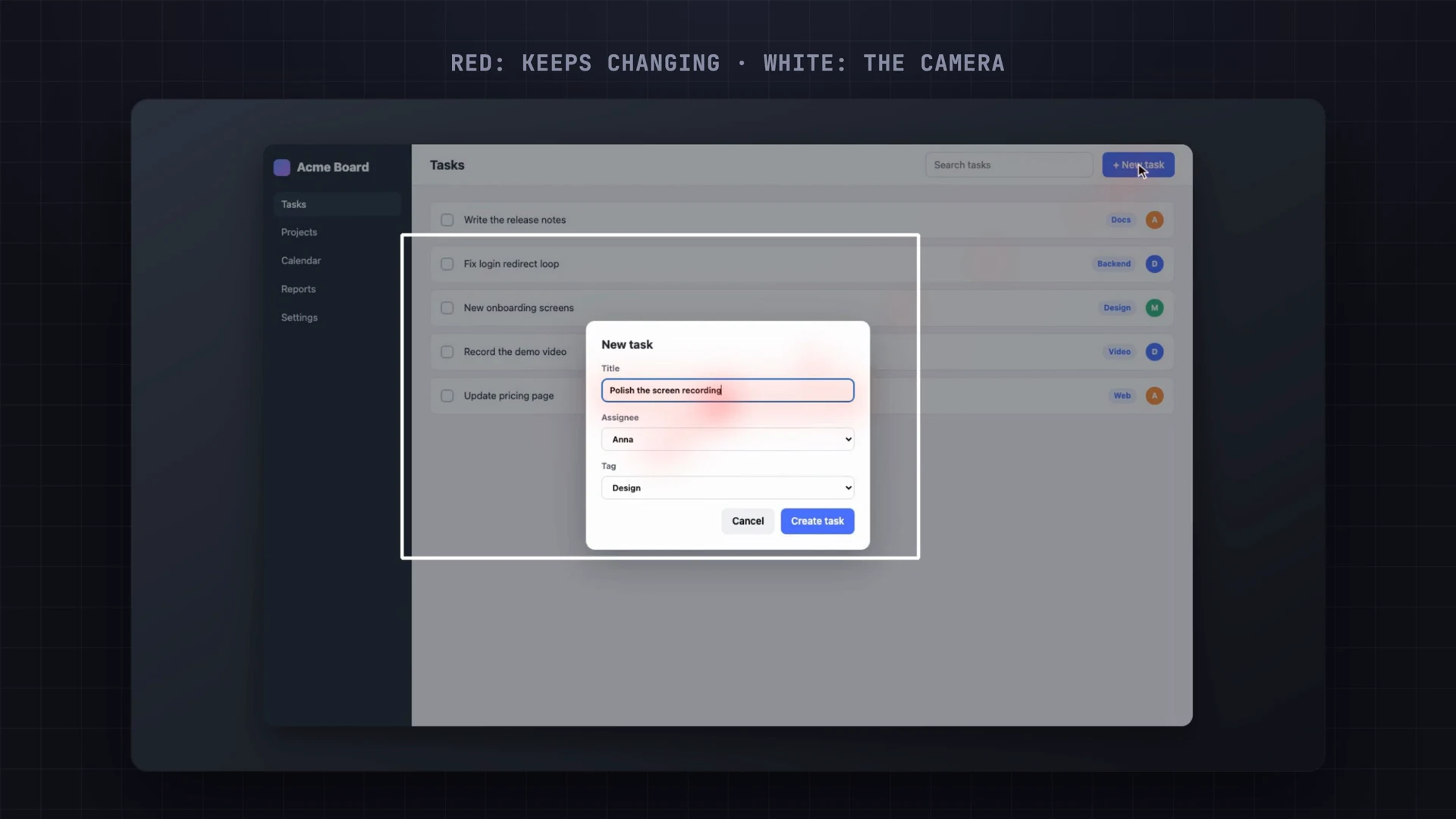
The first version was a mess: it jumped around ten times in 25 seconds and zoomed into a little notification in the corner. The fix was that one idea - only zoom where things keep changing. Now the same recording gets seven calm moves. The camera eases in and out, zooms in log space so in and out feel the same, and uses sub-pixel crops so slow zooms do not shake.
Using it
You need one free tool, uv. The first run downloads OpenCV, numpy and ffmpeg (about 80 MB, once). Then point it at a recording - the easiest way is to drag the file into the terminal:
curl -LsSf https://astral.sh/uv/install.sh | sh
uv run skill/autozoom/autozoom.py ~/Desktop/my-recording.mov
A few seconds later the zoomed version is saved next to the original. On an M5 Pro, a 25-second 1440x900 recording takes about 11 seconds. You do not mark anything: there is no timeline and no clicks to log. If you want, you can tweak it:
| Option | What it does |
|---|---|
--zoom 2.2 | Closer zooms (default 1.8; 1.4 is subtle) |
--bg sunset | Background: ocean, sunset, mint, graphite, light, or none |
--hold 2.5 | Seconds a shot stays before the camera moves |
--size 1080x1920 | Vertical output, with the recording in the middle |
--debug | The heatmap view above, to see what it sees |
From Claude Code
It is also a Claude Code skill. Copy one folder into ~/.claude/skills/ and ask in
plain English: "make my demo look like Screen Studio, with the sunset background".
Claude finds the recording, runs the tool and tells you what it did.
autozoom - the tool, the Claude Code skill and the demo
Free to run forever, on the recordings you already have. One Python file you can read and change.
- autozoom.py - the tool, one file, uv installs everything it needs.
- The Claude Code skill - say what you want, Claude runs it and tunes the options.
- A demo recording and the little demo app in it, so you can try it in a minute.
- The README with every option and how it works.
Patreon members ($5/month) get it with all my other tools, or buy just this one for $9.
Honest limitations
- It only sees pixels - never your real cursor or clicks, so there is no cursor smoothing or click effects like Screen Studio.
- Scrolling, playing videos or constant animations look like action everywhere. Try
--hold 3 --zoom 1.4, or trim those parts. - Tested on macOS (Apple Silicon). Everything it uses is cross-platform, so Linux and Windows should work, but I have not tested them.
- If you want to record and edit with real cursor data, look at OpenScreen (free, open source). This is for the recordings you already have.
Watch the video
The before and after, the debug view, the styles, and the Claude Code skill.
FAQ
Is there a free alternative to Screen Studio?
Yes. OpenScreen is free and open source if you record inside it. For recordings you already have, this command adds automatic zooms, a background, rounded corners and a shadow for $0.
Does it need the cursor or click data?
No. It finds the action from the pixels alone: wherever the screen keeps changing, like typing or a form, the camera zooms there.
How long does it take?
About 11 seconds for a 25-second 1440x900 recording on an M5 Pro, after a one-time 80 MB download of its dependencies.
Does it work on Windows and Linux?
Everything it uses (Python, OpenCV, ffmpeg) is cross-platform, so it should, but I have only tested it on a Mac.
Related
Need a video or content pipeline automated?
This tool is one piece of the pipeline I use for my own channels. Automating the boring parts of recording, editing and publishing is the kind of thing I build at KorFlux.